4 Reasons to Revise Your Content During a Redesign
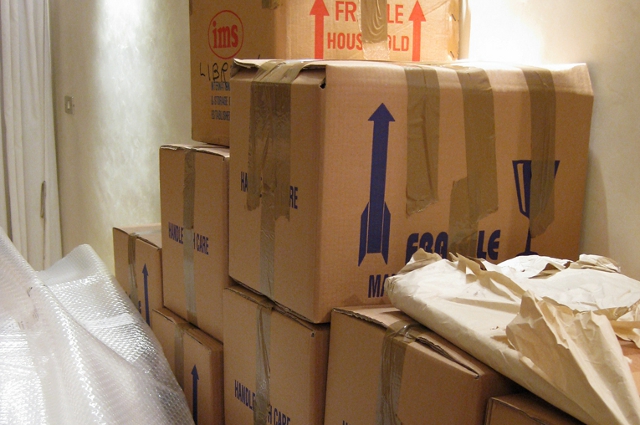
Do you have dusty boxes in a closet or basement that you never unpacked last time you moved? You ran out of energy. Or you ran out of space. Maybe (gulp!) it’s been boxed up for decades and you just keep moving it with you.
Now imagine that those boxes are the website content you haven’t updated in five years, and you’re planning a site redesign. Are you going to toss that dusty content into the moving truck as is, or are you going to open it and decide what to take with you and what to trash?
With all the details of budget and timeline to manage, it’s tempting to just scrape your content and drop it in the new site. But let’s be honest. No one wants to read your dusty About section and outdated job listings any more than you want to sort through those boxes of high school yearbooks and VHS tapes.
Here are four reasons to embrace a redesign as an opportunity to revise your content.
Content analysis may save you money on the redesign.
When you emphasize quality over quantity, you realize that a handful of really great pages will drive more traffic than hundreds of lousy pages. Instead of rebuilding all of those old pages, invest in a content audit to help you decide how many (and which) pages you really need to tell the strongest story. A site that’s half as big may cost less to design and build but result in more visits and qualified leads in the long run.
People’s information needs change. So should your content.
As the internet evolves, people’s expectations about information change. The way they use the web is in a state of flux, which means the usefulness of your content is too. My grandma goes straight to Google now instead of the phone book. Do-it-yourselfers download project checklists straight to their iPads instead of picking up paper checklists in the big box supply aisles. That’s why you need to look closely at any articles, recommended resources or interactive features. Chop those that no longer serve your audience, and revise or develop new ones to meet current needs. One outstanding interactive feature is more powerful than a dozen ancient ones. And remember that static content on your website will bring a visitor once, but a rotation of fresh, helpful content will bring her back repeatedly.
Your old brochure copy is not optimized for SEO.
If your existing site content was originally developed for a brochure or other print materials, it’s not bringing you any SEO value. It may capture your brand voice perfectly, but if it doesn’t use the words people are searching for, no one is reading it. A good web writer can help you revise copy to include key search phrases without sacrificing brand voice and tone. Better optimization means more people will get the benefit of your new-and-improved site.
If it’s time for a new look, it’s time for new messaging.
Finally, it’s likely your messaging was developed in tandem with your visual design. Together they tell a powerful story about your brand—so never update one without attention to the other. Write new headlines and calls to action that support and build on your new brand identity.
A redesign is a great opportunity to revise your content. So resist the urge to keep migrating that dusty old stuff and you may save some money, better serve the information needs of your customers, improve your SEO and tell a more persuasive story about your brand.
Now who’s ready for a yearbook-burning party?